Logitech · Mice & Trackballs
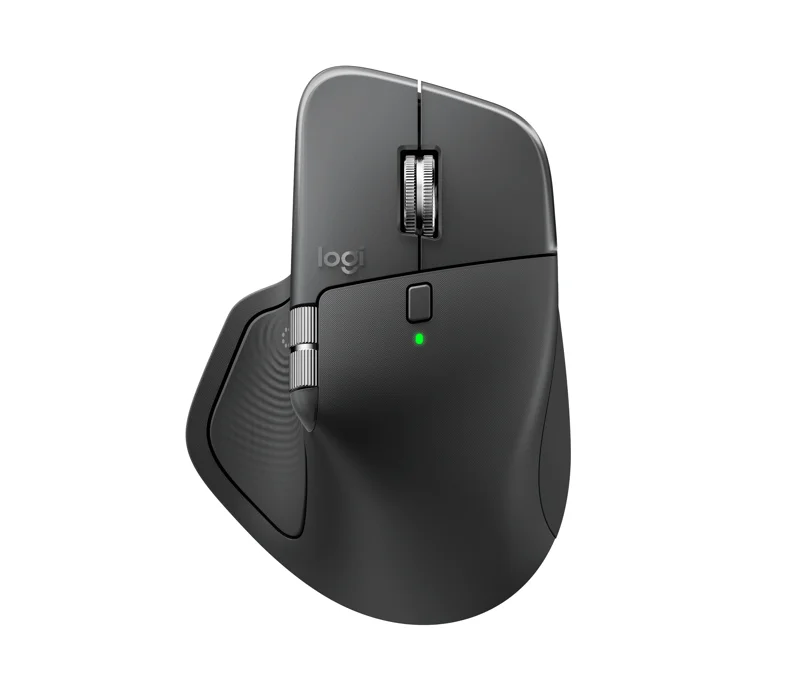
MX Master 4
SKU: 910-007558
Pricing by quoteCall for Availability
Elevate your workflow with MX Master 4: Haptic feedback, MagSpeed scroll, 8K DPI, & Logi Options+ customization. Shop now!
Need help with this product?
Call us at 888-NET-FIX-8
- Members only
Silarius
In stock
- Members only
Island Electrical Supply
In stock
Sign in to view partner prices & stock
Partner store links are available to HexStar account holders. It's free.
- Partner stores are independent retailers. Prices, stock and shipping are set by each store.
Specifications
Sensor & Tracking
- Sensor Technology
- Darkfield high precision
- Nominal value
- 1000
- DPI (Minimal and maximal value)
- 200-8000 (can be set in increments of 50 DPI)
Buttons
- Number of Buttons
- 8
- Gesture button
- Yes
Scrolling
- Scroll Wheel
- Yes, MagSpeed wheel with smart shift
- Horizontal scroll
- Yes
- Thumb wheel
- Yes, same as horizontal scroll
Features
- Customization app
- Supported by Logi Options+ App for recent versions of Windows and macOS, basic feature support for Googlebook laptops. Basic support in Logi Tune. (Basic customization support is available with Options+ App on Googlebook laptops. Advanced features such as the Haptics feedback, Actions Ring, Marketplace, Smart Actions, Flow are working only on recent versions of Windows and macOS.)
- Haptic feedback is supported for key Options+ features like Actions Ring, Smart Actions, Gestures and for the following plugins
- Adobe Photoshop, Adobe Lightroom Desktop, Zoom. Coming in October: Adobe Premiere Pro.
Battery
- Battery type
- Rechargeable 650 mAh
- Battery life
- 70 days
Connectivity
- Connection Type
- Wireless
- Wireless technology
- Bluetooth Low Energy
- Wireless range
- 33-ft (10 m)
- Bluetooth Low Energy (BLE)
- 5.1
System Requirements
- Bluetooth
- Required: Bluetooth Low Energy, Windows 11 or later*, macOS 13 or later*, Linux**, ChromeOS and Googlebook**, iPadOS 15 or later**, Android 12 or later**. (*Customize device by installing the Logi Options+ App available for recent versions of Windows and macOS at app.logi.com, **Device basic functions will be supported without software for other systems than Windows and macOS)
- Logi Bolt USB receiver
- Required: USB-C Port, USB-A Port, Windows 10, 11 or later*, macOS 13 or later*, Linux**, ChromeOS and Googlebook**. (*Customize device by installing the Logi Options+ App available for recent versions of Windows and macOS at app.logi.com, **Device basic functions will be supported without software for other systems than Windows and macOS)
- Compatibility
- Compatible with both USB-C and USB-A receivers.
In the Box
- Mouse
- USB-C Bolt receiver
- User documentation